TBS - To Be Searched
Introduction
Date: 15/01/2026
In this first article, I'm going to show you a little-known Google Images feature. It's very useful for OSINT and SOCMINT investigations.
- Prerequisites: Google Dorking
Overview
Just like using Google Dorks to get more precise results, Google Images also has a feature to search for images more precisely.
You're probably familiar with Google Images' "Advanced Search" option, which gives you advanced results. Even though this tool is powerful, the method I'm about to show you is far more precise and effective.
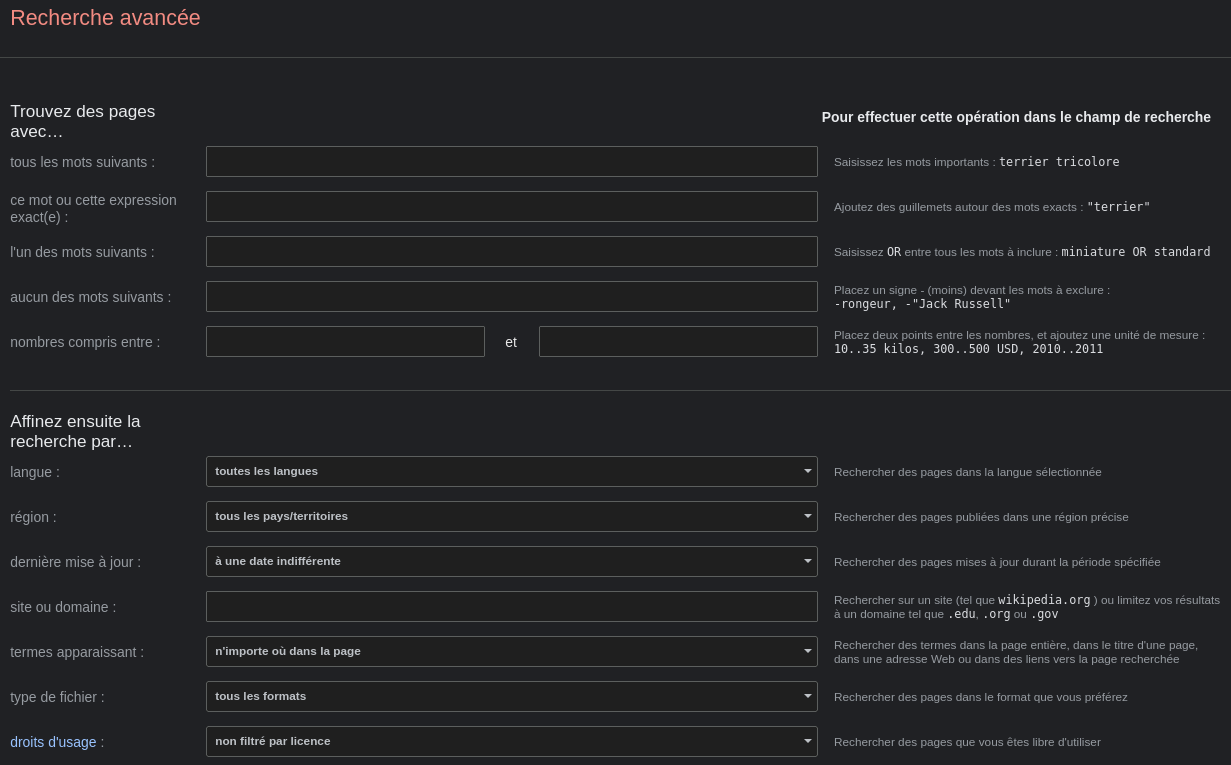
This feature is called TBS, for To Be Searched. This article is structured in two parts:
- Technical demonstration
- TBS filters
Technical demonstration:
We're going to investigate the new apprentices at the Orange group. The goal of our search is to find information about the young recruits hired for the September 2025 intake. So we're going to search for photos, names and other publicly available information. Our example won't be a full investigation, so we'll only use Google and LinkedIn as sources.
So let's start with a very simple search on Google Images:
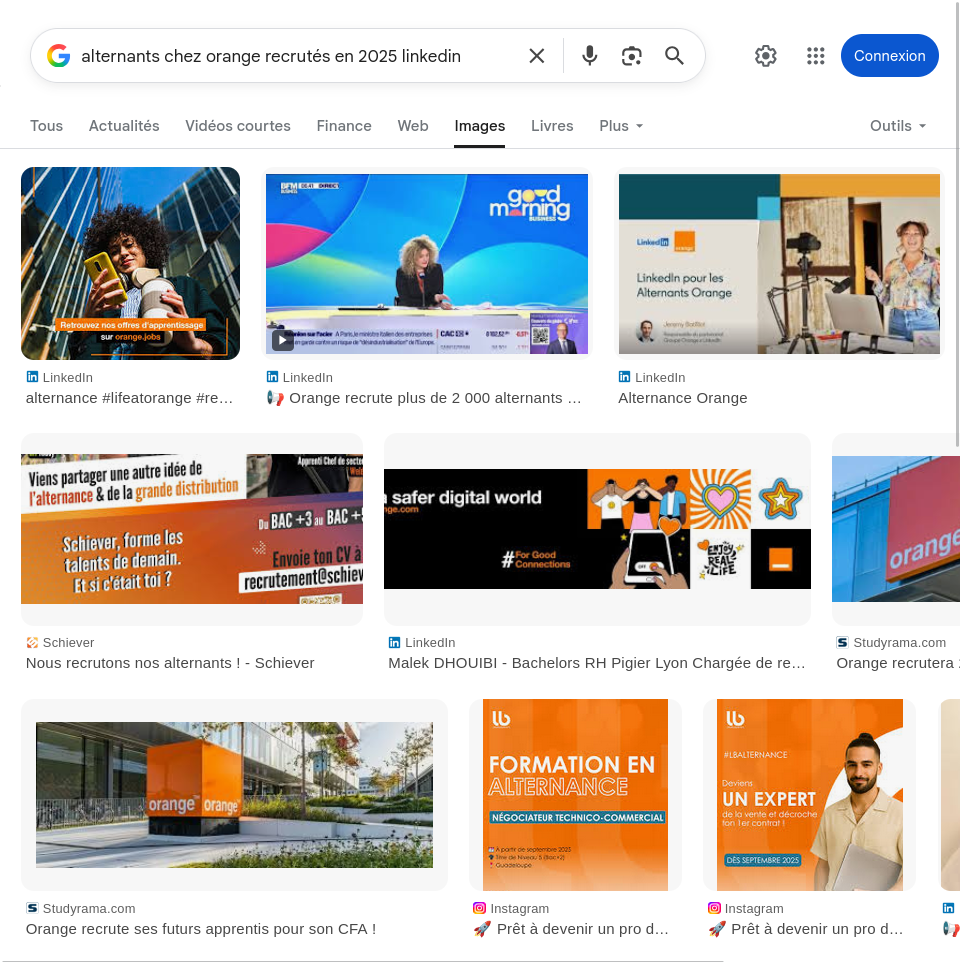
We notice the results aren't precise, we don't find any recently hired apprentice. So we can use Google Dorks to narrow down the search.
We'll use this Google Dork: "orange" "alternant" site:linkedin.com after:2025-09-01
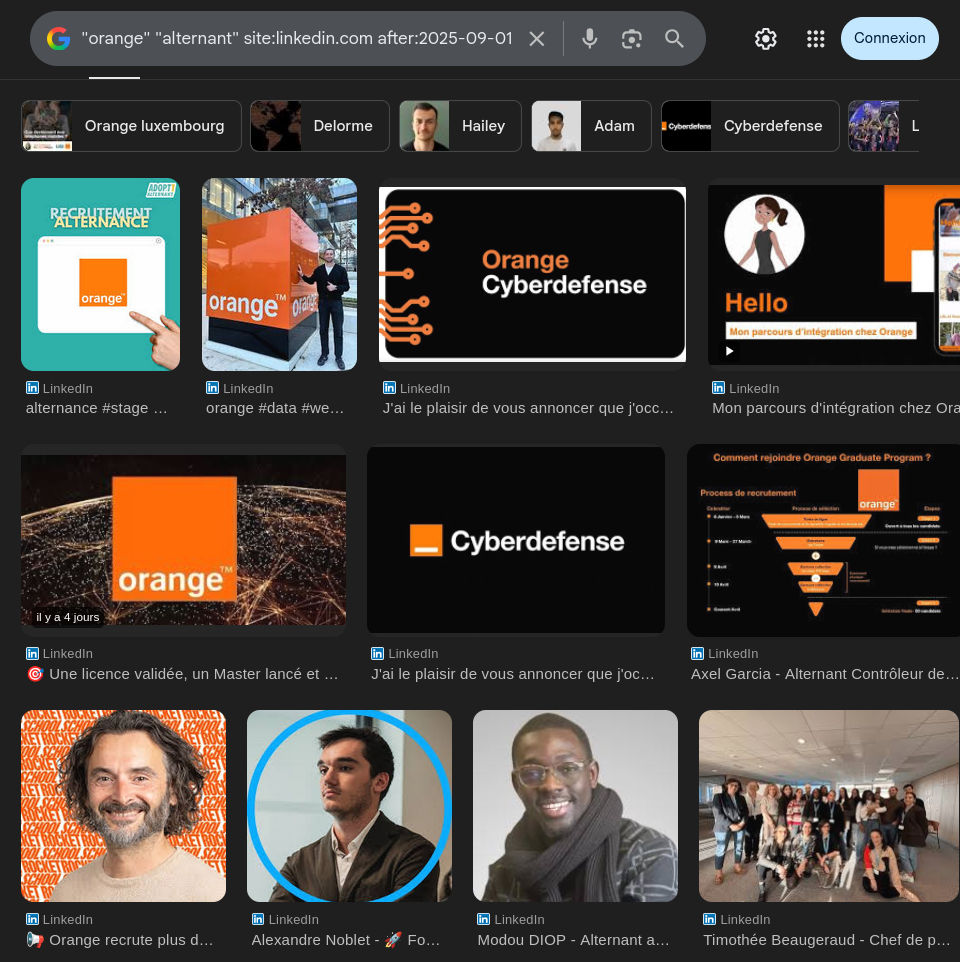
We get more satisfying results, such as the profile of Modou DIOP, for example.
This is where the TBS method comes into play:
First, go to tools, then select the "Clip art" filter under "Type".
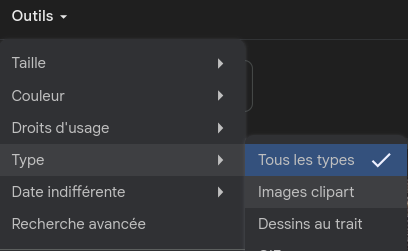
And we get:
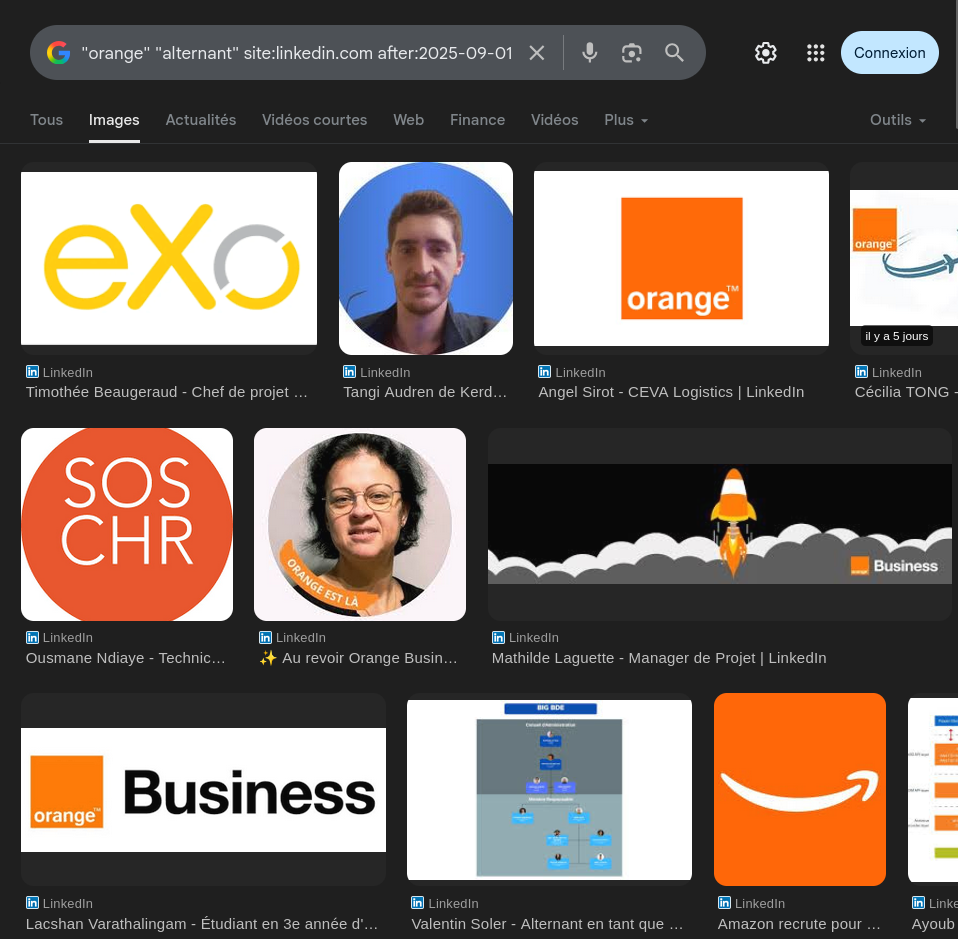
The results aren't great quality, but this is where the magic happens. But where exactly? In the URL.
In this URL, a parameter is going to let us get the information we want. To do this, we're going to replace "clipart" with "face", at the end of our URL.
And we get:
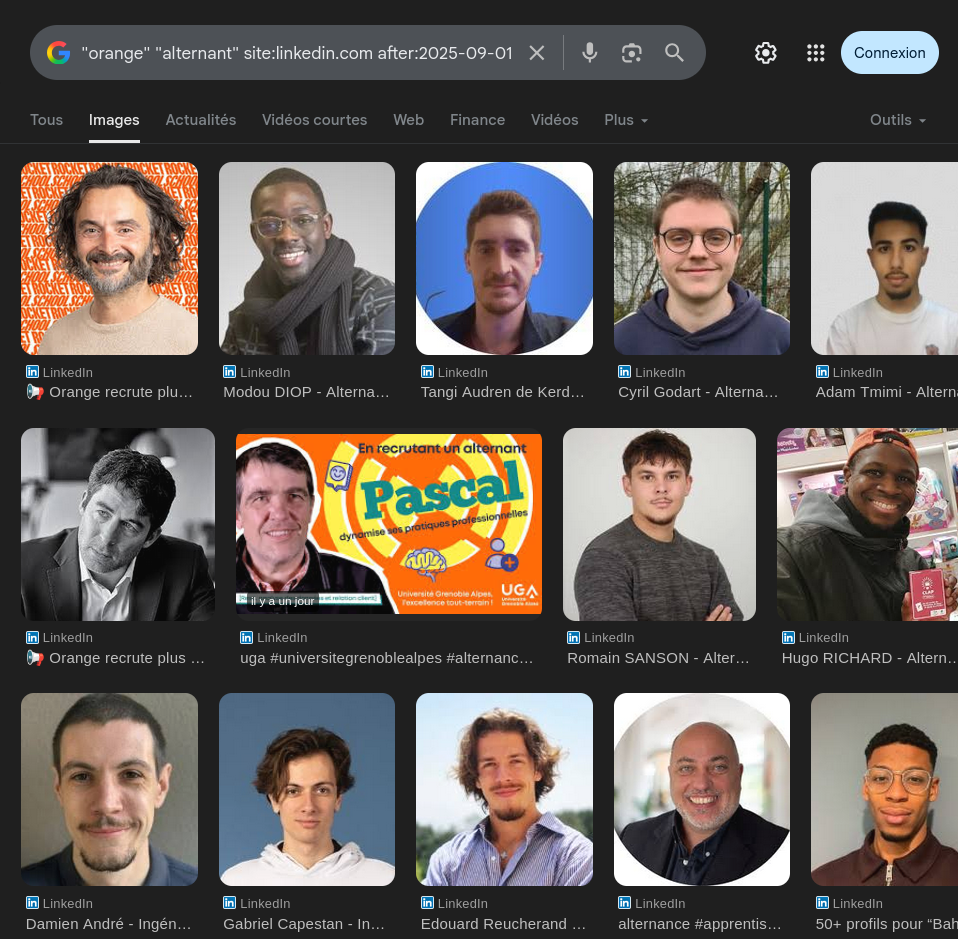
Thanks to the filter, we get faces only. This filter, combined with our Google Dorks, let us get very precise information. This information could, for example, be used for social engineering attacks, or phishing.
TBS Search Parameters
Use these parameters in your URLs to filter results by type, license, color or dimensions.
• Image type:
| URL Parameter | Description |
|---|---|
tbs=itp:clipart | Clip art |
tbs=itp:lineart | Line drawings |
tbs=itp:animated | Animated images (GIF) |
tbs=itp:face | Faces only |
• Rights:
| URL Parameter | Description |
|---|---|
tbs=sur:ol | Commercial licenses |
tbs=sur:cl | Creative Commons licenses |
• Colors:
| URL Parameter | Description |
|---|---|
tbs=ic:color | Full color palette |
tbs=ic:specific,isc:green | Dominant color (e.g. green) |
tbs=ic:gray | Grayscale |
tbs=ic:trans | Transparent background |
• Size:
| URL Parameter | Description |
|---|---|
tbs=isz:i | Icon size (very small) |
tbs=isz:m | Medium size |
tbs=isz:l | Large size |
• Resolution:
| URL Parameter | Description |
|---|---|
tbs=isz:lt,islt:vga | > 640×480 pixels |
tbs=isz:lt,islt:xga | > 1024×768 pixels |
tbs=isz:lt,islt:2mp | > 2 Megapixels |
tbs=isz:lt,islt:8mp | > 8 Megapixels |
Conclusion
You now know the power of TBS filters. As we've demonstrated, combining them with Google Dorks makes it possible to reach a high level of precision for OSINT investigations. Whether it's filtering faces or isolating specific formats, the TBS filter is a valuable tool for any analyst.
Thanks for reading this article! I hope it was useful for your future research.